01
It lives in a truck
Under a seat, in a door pocket, soaked through by the second week of spring. Nobody can produce March when it's August.
Daily job & safety briefings for field crews
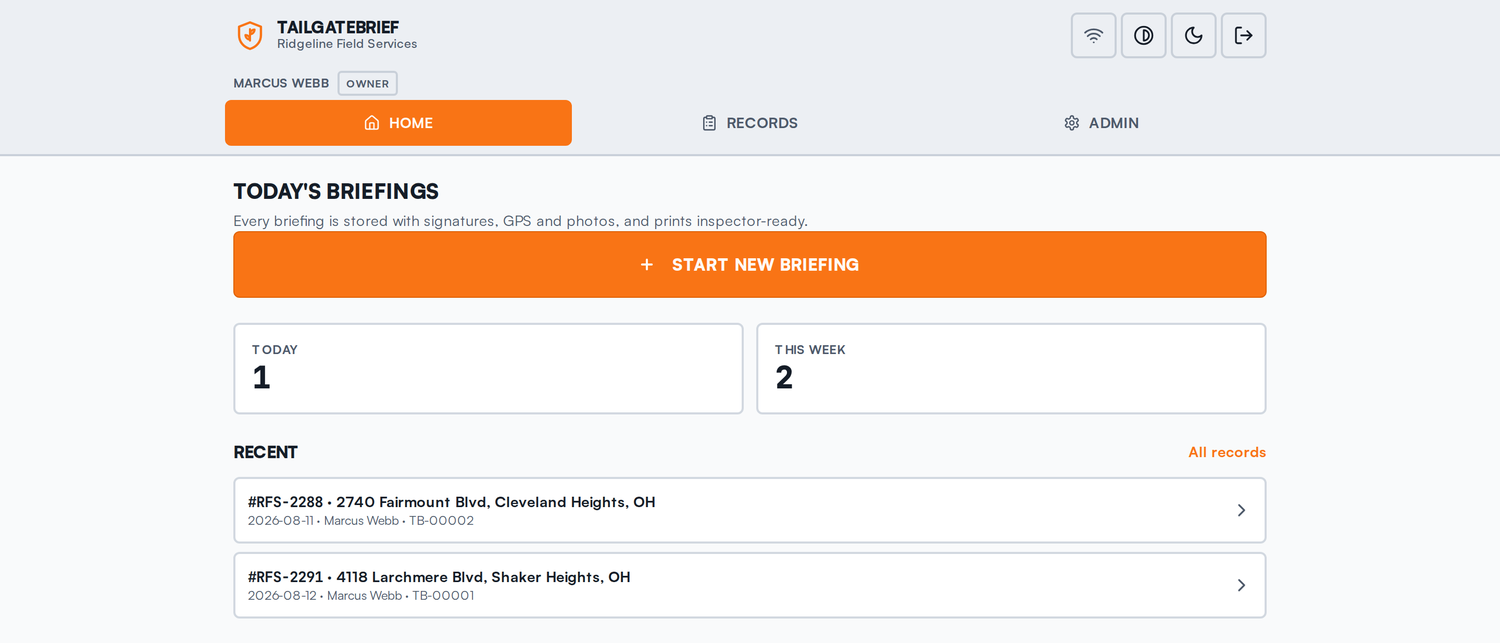
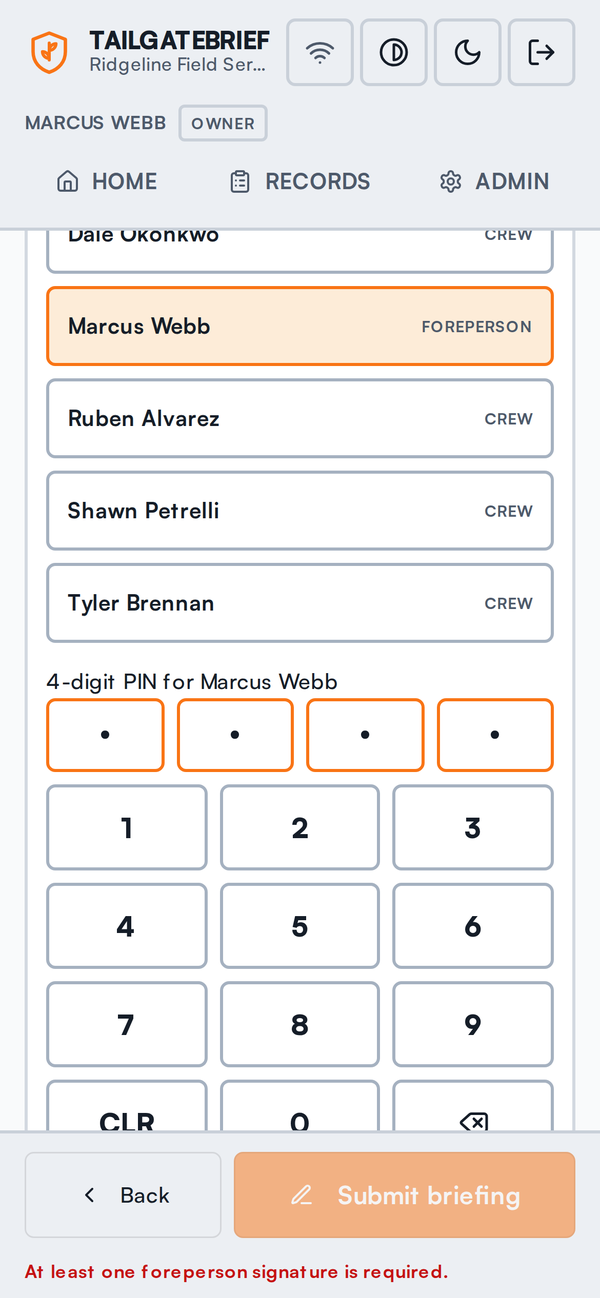
TailgateBrief replaces the clipboard on your truck dashboard. The foreperson runs the same hazard checklist, every crew member signs with their own PIN, and the whole thing becomes a permanent record you can hand an inspector in one tap.
No credit card. Set up your crew in about five minutes.
Every field crew already runs a tailgate briefing. The problem was never the briefing — it's what happens to the paper afterwards.
Under a seat, in a door pocket, soaked through by the second week of spring. Nobody can produce March when it's August.
A column of scrawled initials doesn't show who was actually standing there, or who signed for a buddy who was late.
Scope changes at noon, the crew re-briefs, and nobody starts a fresh sheet. The one that matters is the one that never got written down.
When a state inspector or a claims adjuster asks for the briefing for a specific date and job number, "it's in the truck" is not an answer.
How it works
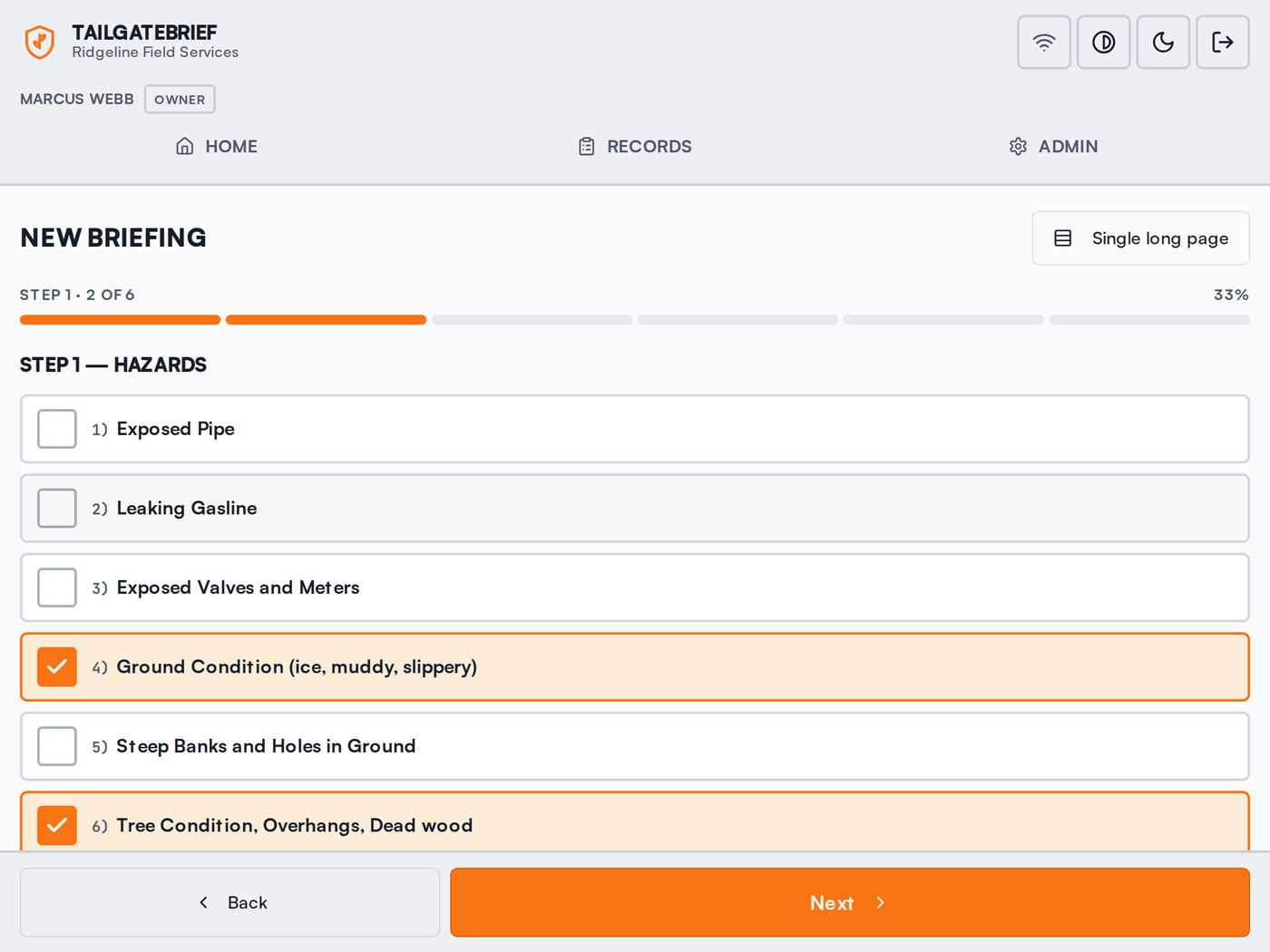
Your form, not ours. We build your paper checklist into the app section for section, item for item — hazards, work procedure, special precautions, PPE. Big tap targets sized for a gloved thumb, notes on any line, photos of pre-existing damage, and GPS stamped on the record.
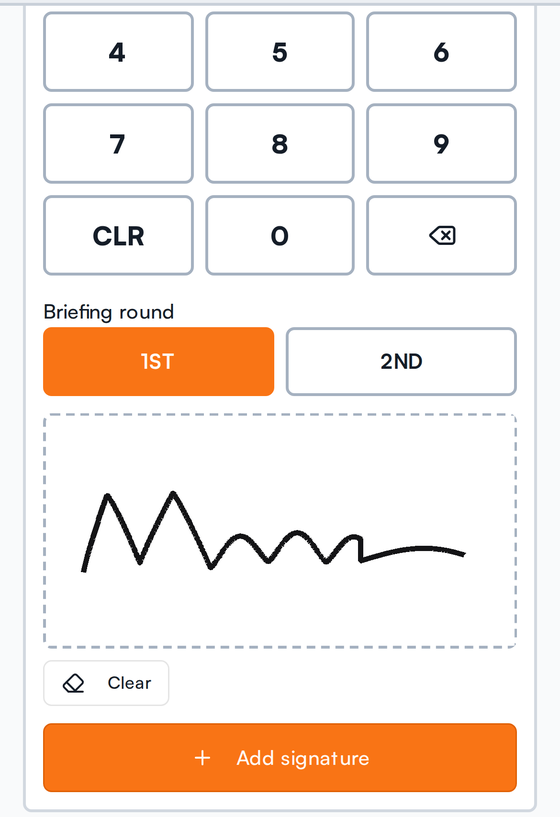
Pass the phone around. Each person taps their name, enters a four-digit PIN only they know, and signs with a finger or a stylus. The record marks that signature PIN verified — an attestation, not just a scribble. Visitors and contractors can sign too, and print clearly as unverified.
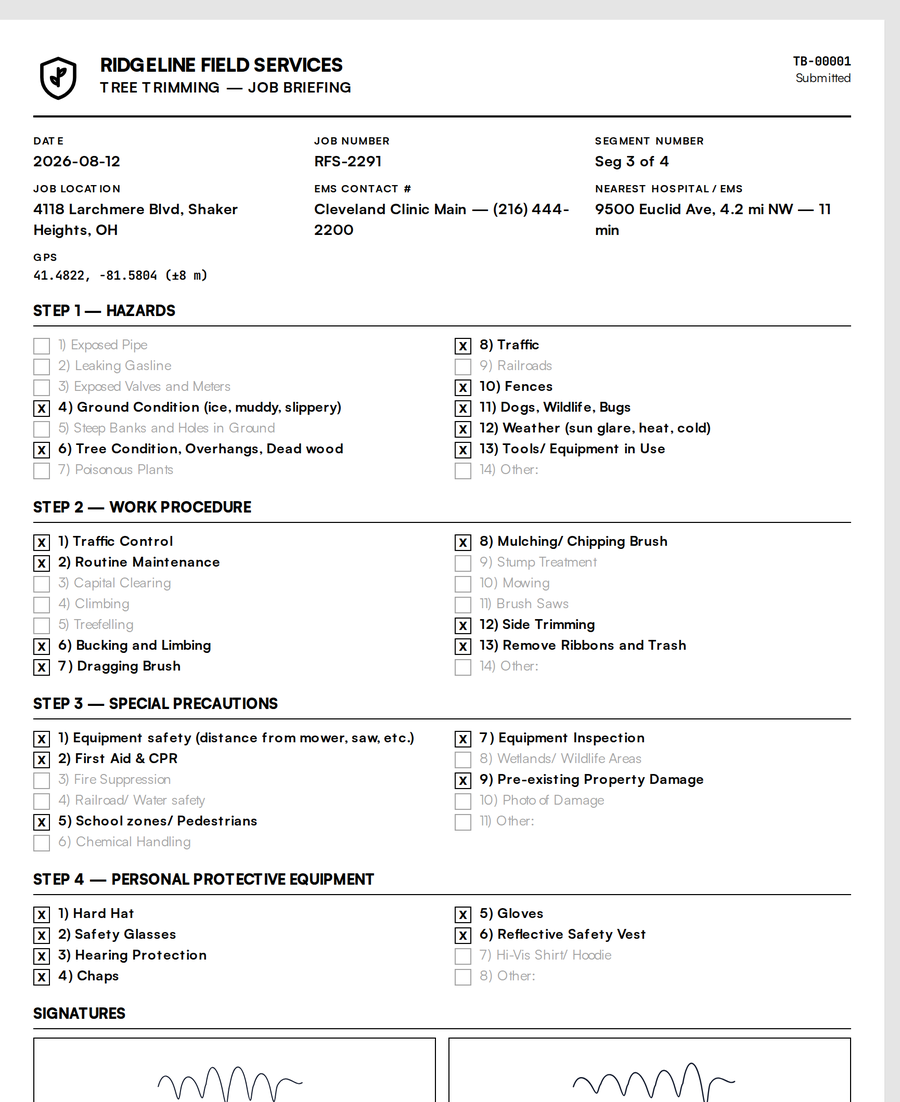
Pull up any date and job number and print or save a PDF that reads like the paper form it replaced — every box, every signature image, every timestamp, the GPS fix and the crew member's role. One page per briefing. No login required on the inspector's end.
The part that actually matters
Crews work at the back of a property, down a ravine, on a rural right-of-way. A safety app that needs a signal is a safety app that gets skipped. TailgateBrief captures the entire briefing — checklist, notes, photos, GPS and every signature — on the device, and syncs it the moment you're back in coverage.
No feature gates, no "call sales to unlock signatures."
Sections and items matched to the form your crew already signs. Edit, reorder, add your own.
Each crew member has a private four-digit PIN. Signatures print as verified or unverified — no ambiguity.
Re-brief after a scope change and it lands on the same record as a distinct, timestamped round.
Pre-existing property damage, a leaning spar, a blocked drive. Attached to the briefing, stored privately.
Coordinates and accuracy captured at briefing time, so the location is part of the document.
Print or PDF, formatted like the paper form. Every box and signature, one page per briefing.
Foreperson and crew roles, active and inactive members, PIN resets and lockout handling.
High-contrast layout and oversized controls for bright sun and work gloves. Dark mode for early starts.
Any phone or tablet with a browser. Install to the home screen. Nothing to buy, nothing to deploy.
The deliverable
This is a real printout from a real briefing — the company name, the job number and segment, the EMS contact and nearest hospital, all four checklist sections with unchecked items still visible, and every signature with its role, round, timestamp and PIN status.
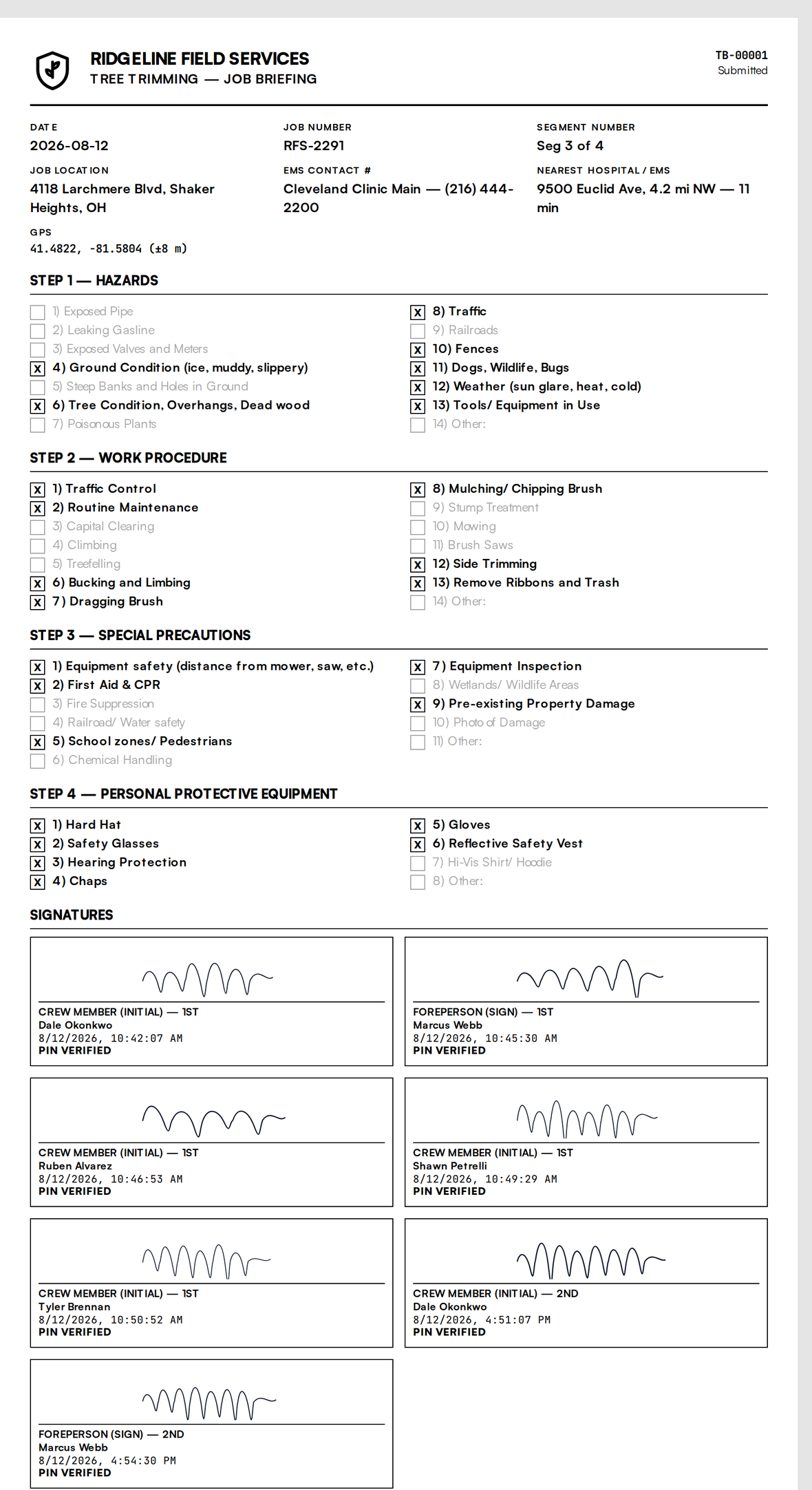
Demo data. Your printout carries your company name and your checklist.
Pricing
Published, on this page, with no demo call. Adding a groundman to the roster costs four dollars — never a reason to leave a name off a safety document.
Drag to your crew size. Comparison figures are the published list prices of other crew-safety apps.
All prices shown exclude applicable sales tax, which is worked out at checkout from your billing address.
Comparison prices as published on 12 Aug 2026: Safesite $16/member/mo, SafetyCulture $24/user/mo annual, Fieldwire Pro $39/user/mo annual. Most of this category won't publish a price at all — Raken, SiteDocs, KPA Flex and Procore all require a quote.
$19/month
+ $4 per crew member, per month
The $19 covers support, updates, and keeping every signed record stored and retrievable. The $4 is per person who signs.
Start 14-day free trialNo credit card to start. Cancel any time. Plus applicable sales tax.
$49/month
+ $6 per crew member, dropping to $5 past 25 people and $4 past 100
One-time setup from $1,500 — your templates, your branding, and onboarding your crews
Talk to usFor a company whose crews aren't all its own employees. Plus applicable sales tax.
Everything below “Everything in Crew” is in build. The $49 licenses the software; the setup fee covers the template, branding and onboarding work we do with you. Tell us how your crews are organized and we'll scope it before you pay for anything.
TailgateBrief started as one company's paper job briefing — a tree service in Cleveland, Ohio that wanted its checklist to stop dissolving in a truck door. The form changes by trade; the shape of the day doesn't.
Send us your checklist and we'll build it into your account before your trial starts.
The printout reproduces your existing briefing form, including who signed, in what role, at what time, and whether the signature was PIN-verified — usually more than the paper version proved. What an inspector accepts is set by your jurisdiction and your own program, so we'd tell you to run a printout past them before you drop the clipboard. We're not offering legal or compliance advice.
Everything works. The briefing, notes, photos, GPS and all signatures are captured on the device and stored there. When the phone gets coverage, the record syncs and PIN attestation is applied. Signatures taken offline are marked as captured offline until that happens — we never quietly claim verification that hasn't occurred yet.
One screen at a time, buttons sized for gloves, and a four-digit PIN instead of a password. The foreperson does the typing; everyone else taps their name, four digits, and signs. Most crews are through their first real briefing in under five minutes.
You should. Send us a photo of your form and we'll build it into your account section by section before your trial starts, at no charge. You can edit it yourself afterwards.
You do. They're your company's briefings, stored under your company only, and you can export them whenever you want. Photos go to private storage, not a public bucket.
Every signed record stays stored and retrievable for as long as you're a customer. Export everything — PDFs, signatures, photos — any time.
No. Once a briefing is signed and submitted it's locked. A record that could be edited after the fact wouldn't be worth showing anyone.
$43 a month — $19 plus six times $4. A 12-person operation is $67. Sales tax is added on top of that where your state requires it, and you'll see the exact figure at checkout before you pay. The trial is 14 days with no card, and there's no annual contract.
Fair question. TailgateBrief is small and new, and it's in daily use by the crew it was built for. What we can promise is a published price, no sales call, your data exportable at any time, and a straight answer when something doesn't work yet — the Company plan section on this page is written that way on purpose.
Fourteen days, no card, your own checklist built in. If it doesn't survive a week in the truck, walk away.